

Cheap shared hosting has its place. For a brand new website with a few pages and a handful of visitors a day, a low-cost plan does the job, and there is no reason to spend more before you need to.
The trouble is that businesses grow and plans don’t. The site that started as five pages now takes orders, sends quotes, runs a booking calendar and has three people logging in to edit it. At some point the cheap plan stops being cheap, because of the time and sales it costs you. These are the signs that point has arrived.
Your site is fast at night and slow at lunchtime
If the site feels fine when you check it at 10pm but drags when customers are actually using it, you are probably running into limits rather than a broken site.
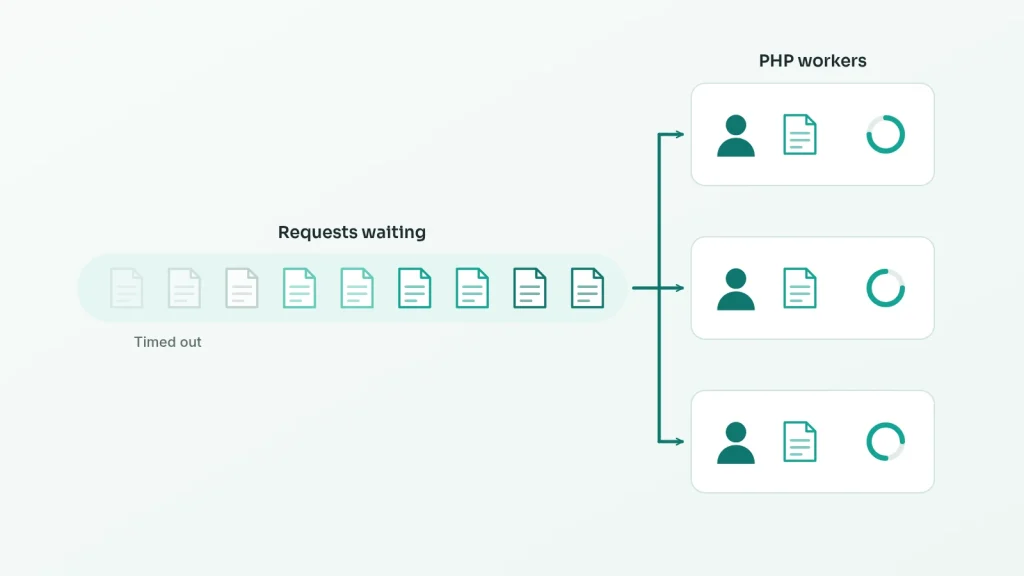
On shared hosting, a server’s CPU and memory are split between many websites. Low-cost plans usually allow each site only a few simultaneous PHP processes, and the server itself may be packed with more sites than it can comfortably serve. When your busy hour lines up with your neighbors’ busy hour, everyone waits.
Pages served from a cache are cheap. Checkouts, searches, logged-in customers and the WordPress admin are not, and those are exactly the parts of the site that make you money. If adding a caching plugin helped the home page but the checkout is still slow, the plan is the bottleneck.
You keep seeing resource limit errors
Many cheap plans enforce limits on CPU time, memory, the number of processes or the number of files. When you hit them you may see errors such as “resource limit reached” or “503 Service Unavailable”, get an email asking you to reduce usage, or find the account suspended until you upgrade.
Limits themselves are fine. Every plan has them, and they are what stop one site from ruining things for the rest. The problem is limits you can’t see. If your host won’t tell you what the numbers are, or the only fix offered is a pricier plan with equally vague numbers, you can’t plan around them.
- Do you know how many PHP processes your plan allows?
- Can you see your CPU, memory and storage use anywhere?
- Do you get a warning before you hit a limit, or only after?
If the answer to all three is no, that is a sign in itself.
Support can’t actually help
Cheap hosting is cheap partly because support is kept lean. That often means a first reply that pastes a help article, a long wait for anyone who can look at the server, or an answer that your problem is “outside the scope of support”.
That’s tolerable when nothing much is at stake. It is a different matter when the checkout is broken on a Saturday. If you dread opening a ticket, or you have learned to fix things yourself because asking takes longer, the support is no longer matching what the site is worth to you.
Every update feels like a gamble
Plugin and theme updates break sites far more often than servers do. The safe habit is to try updates on a private copy first, then apply them to the live site once they work. That copy is called staging.
Many entry-level plans don’t include staging, so updates go straight onto the live site. People respond in one of two ways: they update and hope, or they stop updating. The second is worse, because outdated plugins are one of the most common ways WordPress sites get broken into.
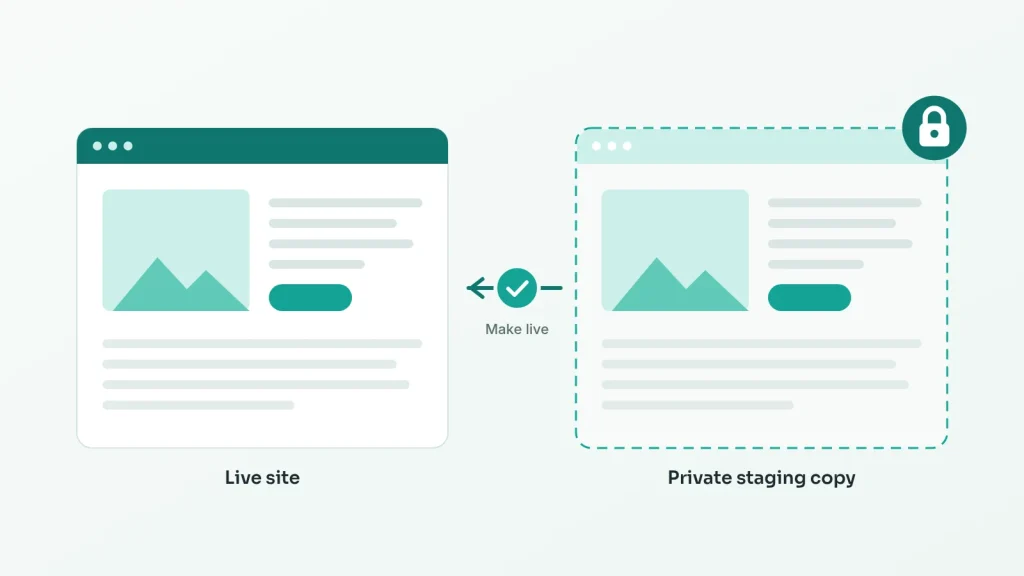
If you’ve started putting off updates because you’re worried about breaking something, you have outgrown a plan without a safe place to test.
You’re not sure what would happen if you were hacked
Try this: imagine the site was defaced this morning. Could you get it back by lunch?
- Do you know when the last backup ran and how many copies exist?
- Are those backups stored away from the server the site is on?
- Can you restore one yourself, or do you need to ask, and pay?
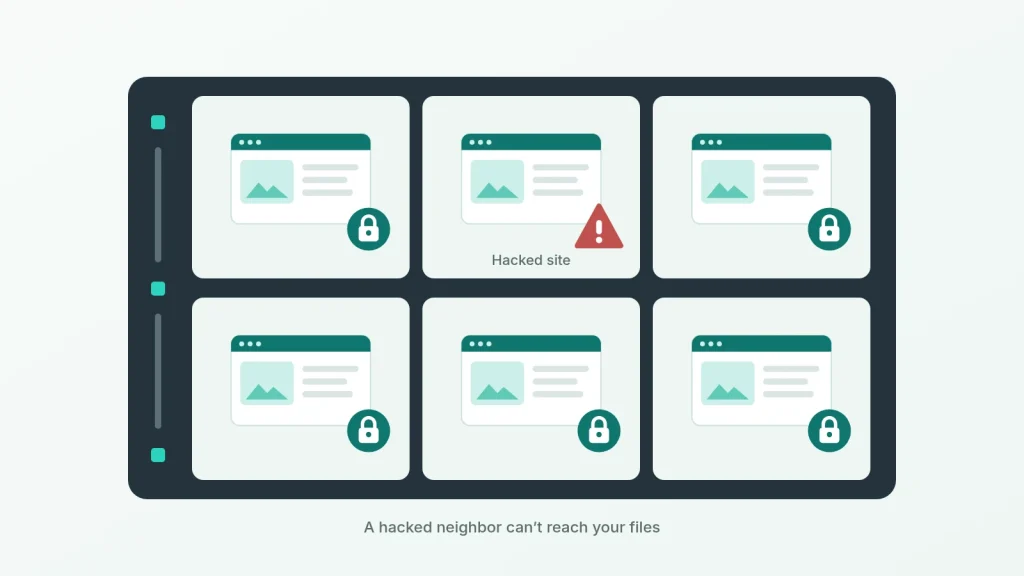
- Is your site kept apart from the other sites on the server, so a hacked neighbor can’t reach your files?
Shared hosting is not insecure by nature, but the cheapest plans are where corners get cut on separation between sites and on backups. If you can’t answer these questions, ask your host. The answers will tell you a lot.
More people need access
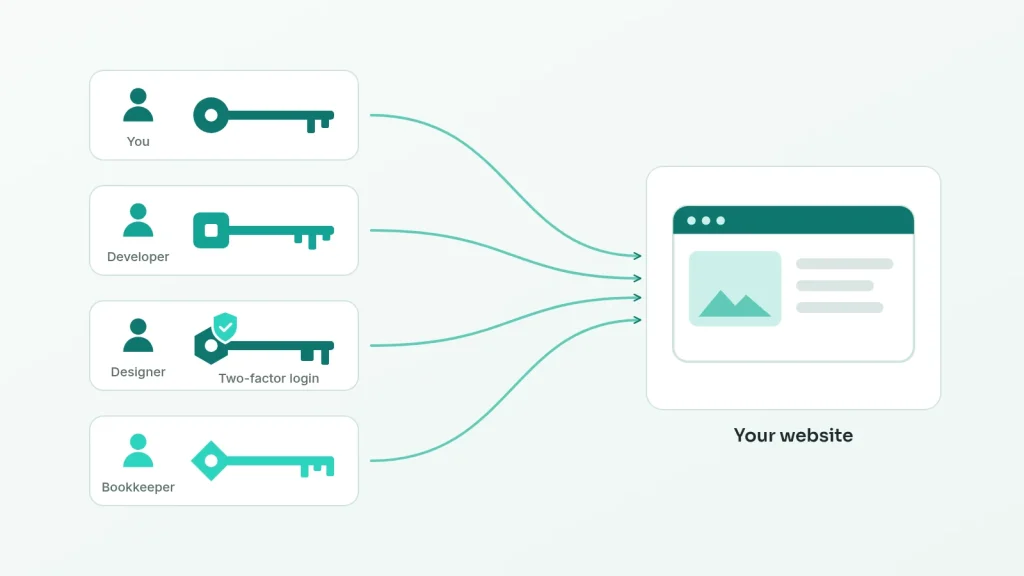
When it was just you, sharing one hosting login was fine. Now there’s a developer, a designer, maybe a bookkeeper who needs invoices. If everyone uses the same username and password, you can’t tell who changed what, and you can’t remove one person’s access without changing it for everyone.
Look for a host that gives each person their own login with only the permissions they need, and that supports two-factor login.
What to look for after cheap shared hosting
Outgrowing cheap shared hosting doesn’t automatically mean you need your own server. A virtual private server gives you raw power, but you become the system administrator: security updates, firewall, backups and PHP upgrades are all yours, and every PHP version reaches end of life on a fixed schedule. For most small businesses, a better-built managed plan is the right move.
When you compare options, look for:
- Clear, published numbers for PHP workers, CPU and memory, not just “unlimited”
- Real separation between websites on the same server
- Backups stored off the server that you can restore yourself
- Staging on the plan you will actually buy
- Separate logins for your team, with two-factor login
- A renewal price you know in advance, with notice before any change
- A free or simple way to move your existing site
Our earlier post, what to look for when choosing a web host, goes through these questions in more detail.
How Ateculus handles this
Every Ateculus website runs as its own Linux user with its own PHP pool and its own CPU, memory and process limits. Capacity comes in Standard, Extra and Max, which is 3, 5 or 8 PHP workers, and storage and bandwidth are shown against your plan in the control panel. Plans renew at your current price, with at least 30 days’ notice before any price change, and you can change plans when you need more room.
Backups are encrypted with your passphrase, stored off the server, and restored by you. Staging is on Grow, Scale and Pro. Your team gets their own logins, and two-factor login is available to everyone.
What we don’t do: we don’t host email or sell domains, our servers are in San Francisco (New York on request), and you update WordPress and plugins yourself. Moving a WordPress site in is free with our migration plugin. Plans are on the pricing page.