

PHP runs a large share of the web: WordPress, Joomla, Drupal, Laravel apps and countless custom sites. That popularity makes PHP sites a constant target, but not because PHP is especially weak. Attackers go where the websites are, and they use automated tools that try the same well-known holes on huge numbers of sites. Good PHP website security starts with knowing what those holes are.
The good news is that the list of common ways in is short and well understood. If you know what they are, you can close most of them. This post walks through each one in plain terms, then looks at what a host can do and what’s still up to you.
Outdated code
This is the big one. When a security hole is found in a popular plugin, theme, module or framework, the fix is published, and so is a description of the problem. Attackers read those too. Within days, sometimes hours, automated scanners are checking sites for the old version.
So the risk isn’t really “unknown hackers finding new holes in your site.” It’s known holes, with known fixes, on sites that haven’t installed them yet. The longer an update waits, the more scanners have tried it.
What helps:
- Update the application, plugins, themes and Composer packages regularly, not just when something breaks.
- Delete plugins, themes and extensions you don’t use. Deactivated isn’t enough; the files can still be reached.
- Replace anything its author has stopped updating.
- Run a PHP version that still gets security fixes. The PHP project lists which ones do.
- Test updates on a staging copy first if you’re worried about breaking things, so fear of breakage doesn’t become a reason to wait.
Weak and reused passwords
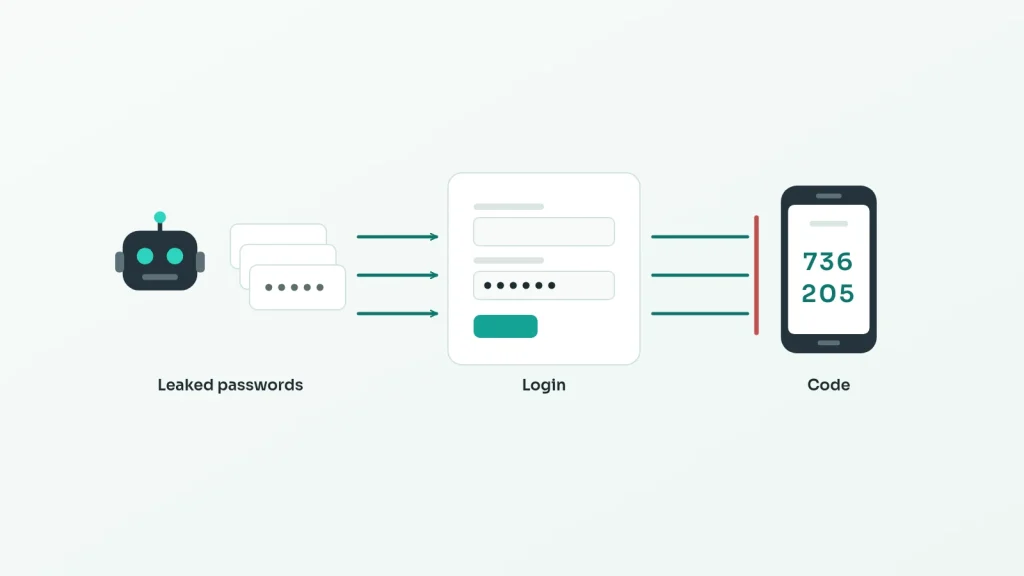
Bots try common usernames and passwords on login pages all day. They also try email and password pairs leaked from other websites’ data breaches, on the bet that people reuse them. That bet pays off often enough to be worth automating.
The fix is boring and effective: a long, unique password for every admin account, kept in a password manager, and two-factor login wherever it’s offered. That includes the CMS admin, the hosting control panel, SFTP and the email account that receives password resets. One reused password on any of them can undo the rest.
SQL injection
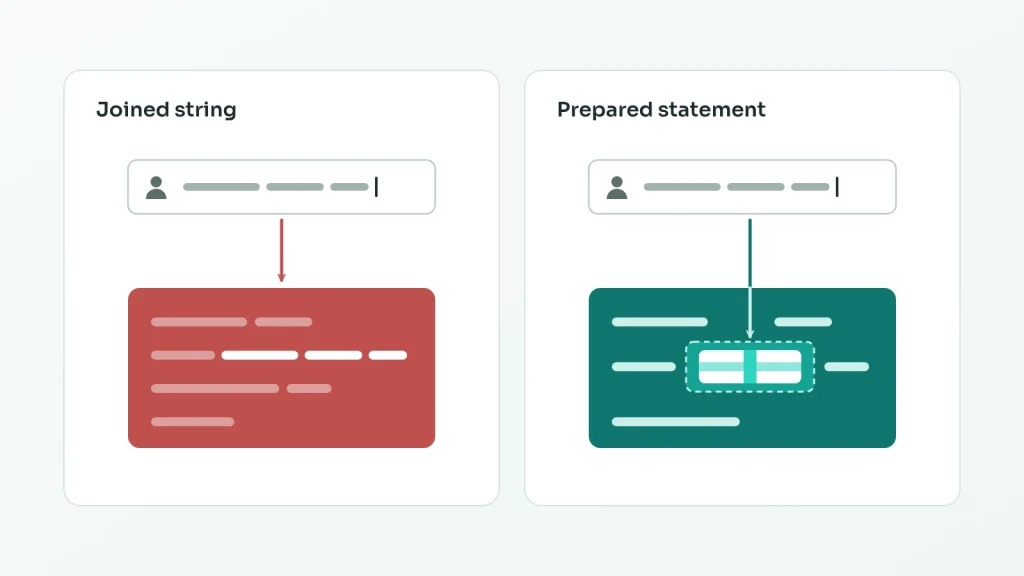
Most PHP websites keep their content in a database and talk to it in a language called SQL. SQL injection happens when code takes something a visitor typed, such as a search term or a form field, and pastes it straight into a database query. A carefully crafted input changes what the query does: instead of searching products, it lists every user and password hash, or adds a new administrator.
For developers, the fix is well established: never build queries by joining strings with user input. Use prepared statements with placeholders, through PDO or your framework’s query builder, so input is always treated as data and never as part of the command. In WordPress, that means $wpdb->prepare().
For site owners, the practical point is that you mostly inherit this risk from plugins. Popular, actively maintained ones get reviewed and fixed. Obscure ones that haven’t been touched in years may not.
File upload holes
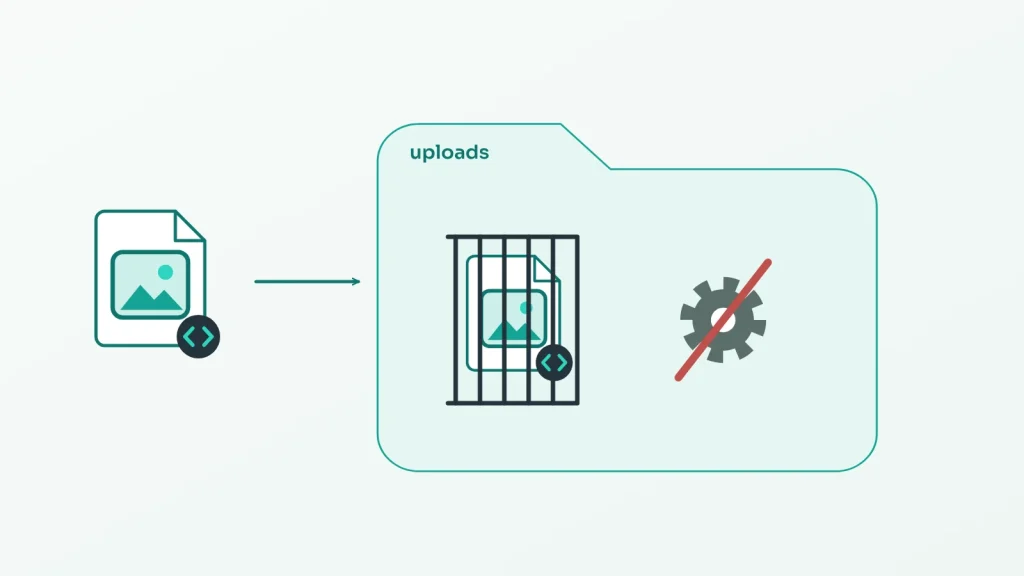
Many sites let people upload files: profile pictures, attachments on a contact form, documents in a client area. If the code only checks the file name, or doesn’t check at all, an attacker can upload a PHP file disguised as an image. If they can then visit that file in a browser and the server runs it, they have their own code running on your site. From there, they can do almost anything the site itself can.
Good upload code checks the real file type, renames files, and stores them where they can’t be run. Good server setup adds a second wall: files in upload folders are never run as PHP, whatever they’re called.
Exposed config files and backups
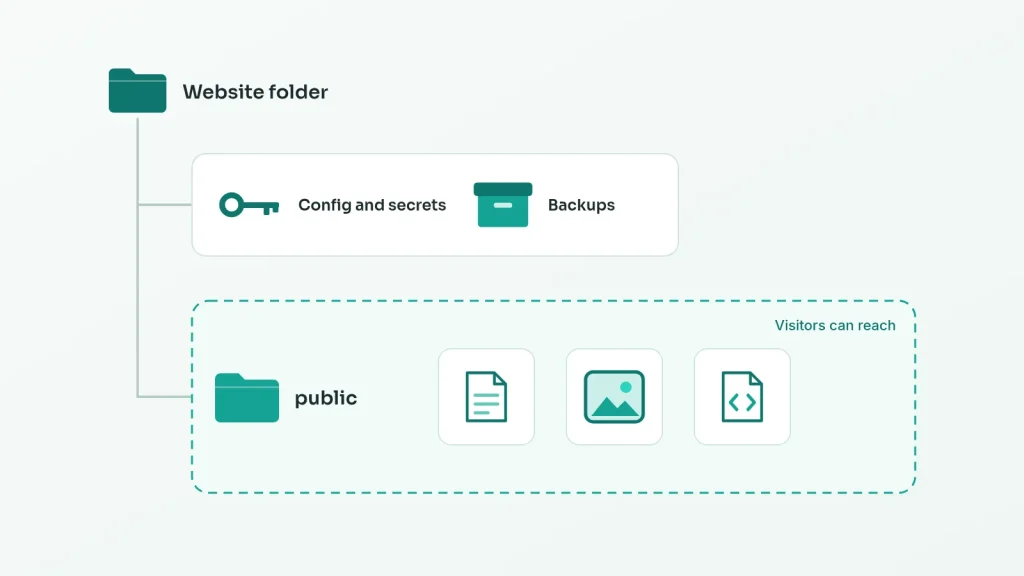
Some of the easiest break-ins don’t need any hole in the code. They just need a file that was left where a browser can download it.
- A copy of
wp-config.phpsaved aswp-config.php.bakor.old, which the server sends as plain text instead of running - A Laravel
.envfile in a folder the web server can reach, with database passwords and API keys inside - A
.gitfolder uploaded with the site, which can contain the whole code history and any secrets ever committed - A database export or zip of the site sitting in the web root, left over from a move
Scanners request these exact file names on every site they find. Keep secrets outside the public folder where the framework allows it (Laravel’s public directory exists for exactly this reason), don’t leave backups or exports in the web root, and don’t commit passwords to Git.
Cross-site scripting
Cross-site scripting, or XSS, is when an attacker gets their own JavaScript to run in other people’s browsers on your site. It usually happens when a page shows something a visitor submitted, like a comment, a name or a search term, without making it safe first.
The damage depends on who sees it. If it runs in an administrator’s browser, the script can act as that administrator, for example by creating a new admin account. The fix is to escape output: treat anything from a visitor as text, never as HTML. Frameworks and template engines do much of this for you, and WordPress provides functions like esc_html() for it. The OWASP Top Ten is a good reference for developers who want the full picture.
PHP website security: what your host can and can’t do
A host can’t fix the code inside your website. If a plugin has a SQL injection hole, the server will run that query like any other. What a host can do is make each hole less useful to an attacker and stop one compromised site from becoming everyone’s problem:
- Never run uploaded files as PHP, so an uploaded script is just a file
- Switch off dangerous PHP functions that let code run system commands
- Run each website as its own user, restricted to its own folder, so a break-in stays inside one site
- Keep databases reachable only from the server, not the internet
- Keep the server and current PHP versions patched
- Offer two-factor login on the control panel and backups you can restore yourself
Those layers matter. They’re the difference between “one site was defaced” and “an attacker has a foothold on the server.” But they work alongside your own updates and passwords, not instead of them.
How Ateculus reduces the risk
On our servers, uploaded files can’t run as PHP, dangerous PHP functions are switched off, and each website runs as its own Linux user with its own PHP pool, kept to its own folder. Databases can’t be reached from outside the server. You choose PHP 8.4 or 8.3, and servers get automatic security updates. Two-factor login is available on every account.
What we don’t do: we don’t scan for malware, run a web application firewall, or update your application, plugins or Composer packages. That part is yours. On Scale and Pro, WordPress websites also get a nightly security score that flags known holes in plugins and themes. Staging on Grow, Scale and Pro makes updates easier to test. More on our developer page.