
Ateculus Security for WordPress
Stops password guessing, bad bots and scanners, and adds two-factor sign-in. It runs on your own server, with no account to make.
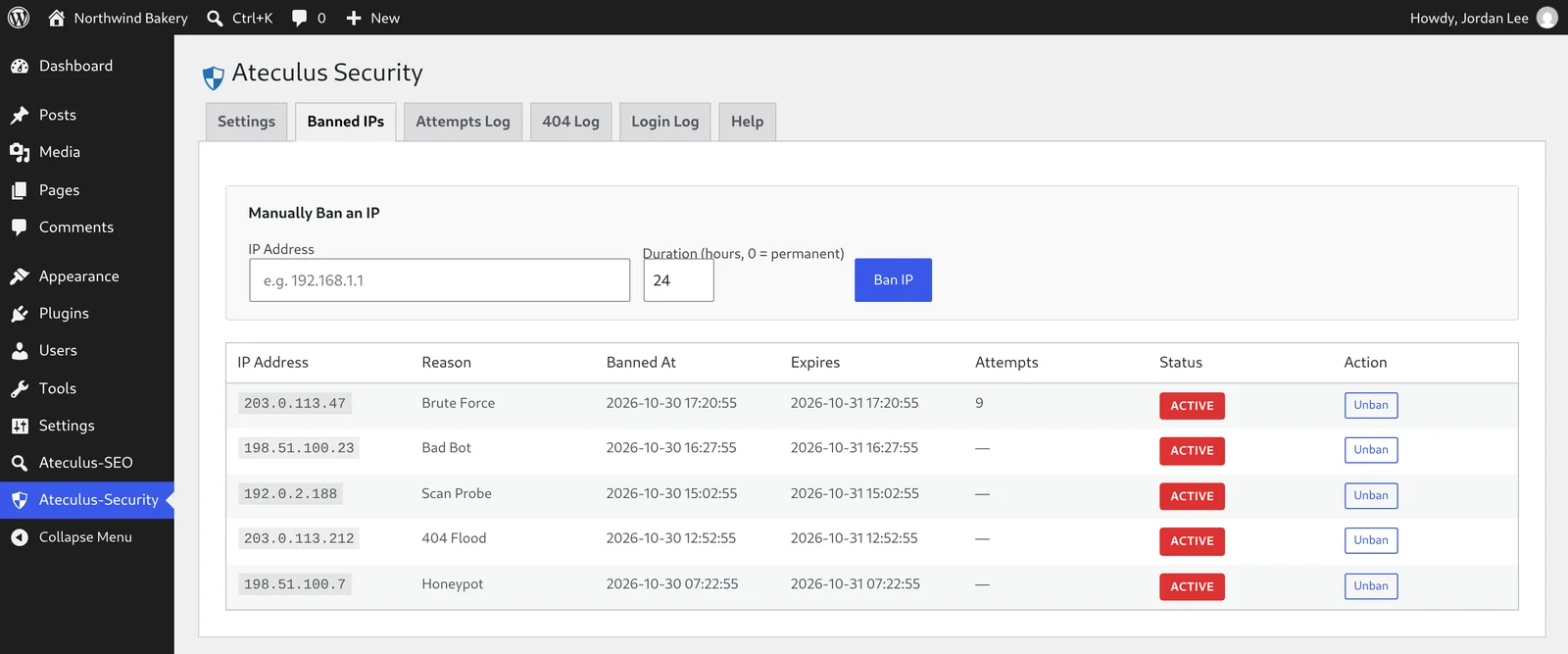
- Bans an IP address after too many failed logins
- Two-factor sign-in with any authenticator app
- A login page at an address only you know, if you want one
It comes installed on new WordPress websites hosted with Ateculus.
Two-factor sign-in
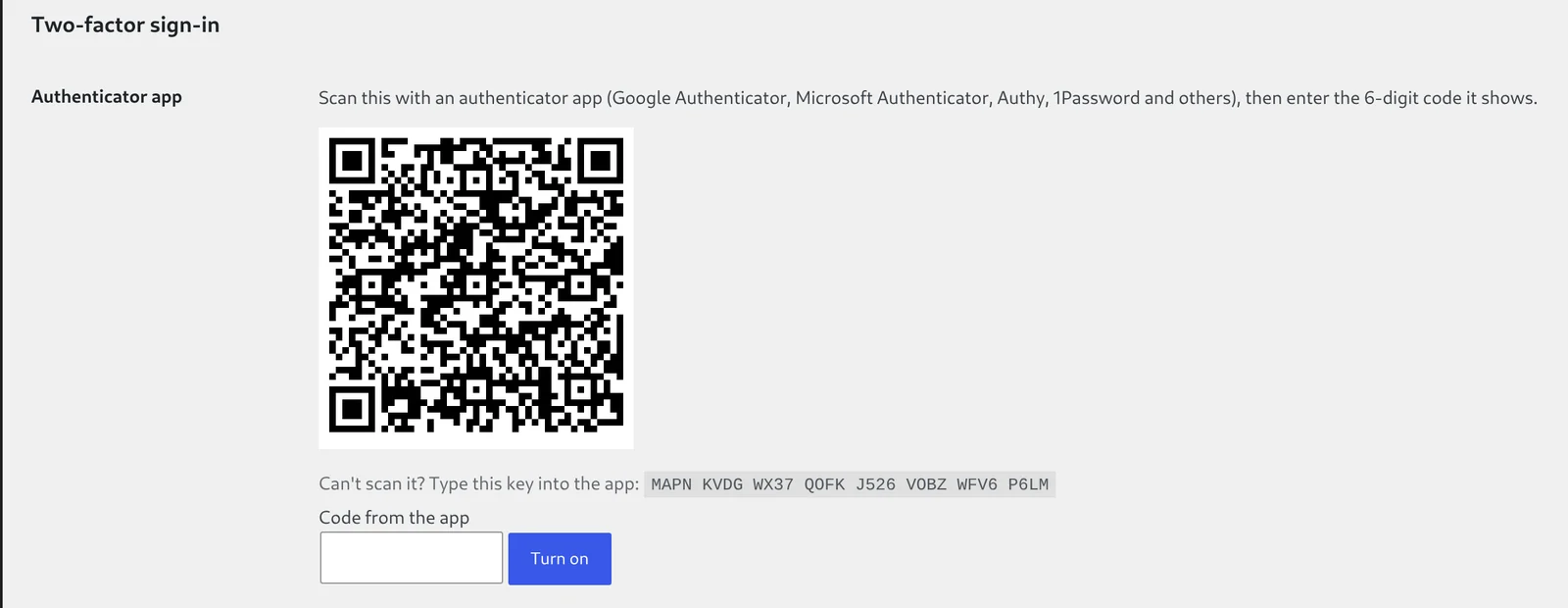
After the password, WordPress asks for a code from the person’s phone. A stolen password alone no longer gets in.
- Each person turns it on from their own profile with a QR code
- Ten one-time recovery codes in case a phone is lost
- Can be required for every administrator
- Wrong codes count toward a ban, like wrong passwords
- Apps that sign in with application passwords keep working
Everything else it does
Protection that runs on every request, and logs you can check.
Login protection
Bans an IP after a number of failed logins in a time window you choose.
Bots and scanners
Bans known scanning tools such as SQLMap, Nikto and Nmap on their first request.
404 floods
Slows down IPs that hit lots of missing pages, and bans requests for files like .env.
Login honeypot
A hidden field on the login form catches bots that fill in every box.
Block an IP
Keep any IP address off the whole website, not just the login page.
Works behind Cloudflare
Sees each visitor’s real IP address, with Cloudflare’s ranges kept up to date.
Logs and alerts
Failed logins, 404s and 90 days of successful logins, plus an email when an IP is banned.
Get Ateculus Security
Needs WordPress 6.0 and PHP 8.0 or newer.
Free for any website hosted with Ateculus. Elsewhere it’s free on one personal website, and business websites need our permission. The download page has the details.