
WordPress, Joomla and Drupal are the three best-known open source content management systems, and all three can run a good business website. They are free to use, they run on the same kind of hosting, and each has years of history and a large community behind it. So WordPress vs Joomla vs Drupal isn’t a question of which one works.
The differences are in how they think about content, how much they do out of the box, and how much skill it takes to build and look after a site. Picking the right one is less about which is “best” and more about which one suits the people who will use it every day.
What the three have in common
Under the hood they are close relatives. All three are written in PHP and usually keep their content in a MySQL-compatible database such as MariaDB. All three let you add features with extensions (WordPress calls them plugins, Joomla calls them extensions, Drupal calls them modules) and change the look with themes or templates.
That means a host that runs one well can usually run all three. It also means they share the same basic responsibilities: keeping the core software, the extensions and the theme up to date, keeping admin logins strong, and taking backups.
Where they part ways is the balance between simplicity and structure.
WordPress: the easiest place to start
WordPress began as blogging software and grew into a general website builder. It is by far the most widely used of the three, and that popularity is its biggest strength.
- The admin area is friendly for people who just want to write a page, add a post or swap a photo.
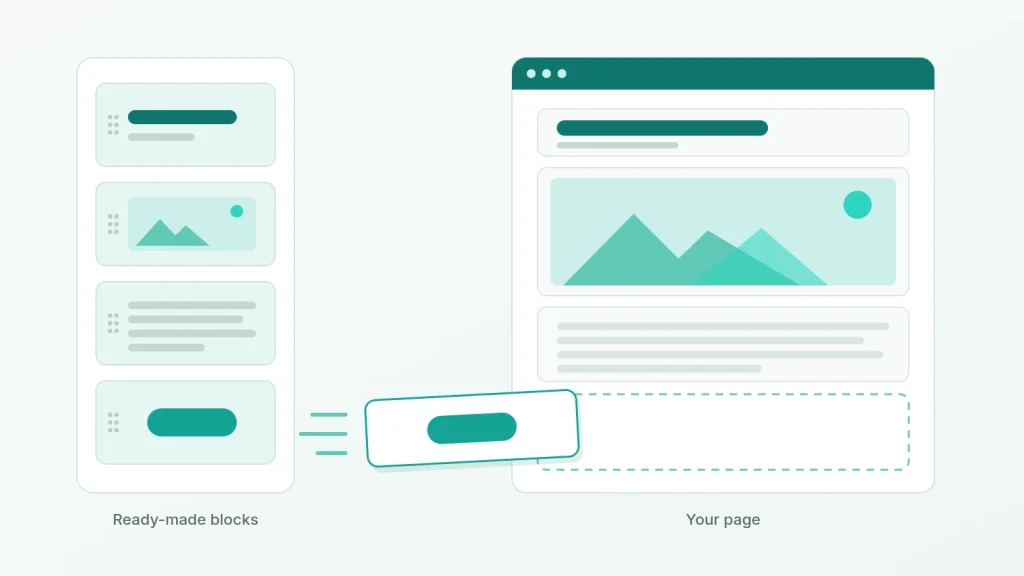
- The block editor lets you build page layouts without touching code.
- There is a plugin for almost anything: forms, online stores (WooCommerce), bookings, memberships, search engine settings.
- Designers and developers who know WordPress are easy to find, which matters when you need help.
The trade-off is that the easy path can turn into a pile of plugins. Each one is code from a different author, with its own update schedule and its own quality. A WordPress site with a handful of well-chosen plugins is easy to look after. One with forty, some of them abandoned, is slower, harder to update and easier to break into.
WordPress suits most small business sites: a brochure site, a blog, a small shop, a portfolio. If you are not sure which to choose, it is the safe default. You can find the software and its documentation at wordpress.org.
Joomla: more built in, fewer add-ons needed
Joomla sits in the middle. It does more out of the box than WordPress, and asks a little more of the person running it.
A few things Joomla includes as standard that WordPress usually handles with plugins:
- Multilingual sites, with content in several languages linked together
- Detailed user groups and access levels, so you can decide exactly who sees and edits what
- Menus and modules that let different pages show different sidebars and blocks
That makes Joomla a good fit for membership sites, community and club sites, and businesses that need two or three languages without bolting them on. The admin area has more settings, and it takes longer to learn. There are fewer extensions and fewer people offering Joomla work than WordPress, so check that you have someone to call before you commit.
The project’s own site, joomla.org, has the documentation and the extensions directory.
Drupal: for structured content and bigger teams
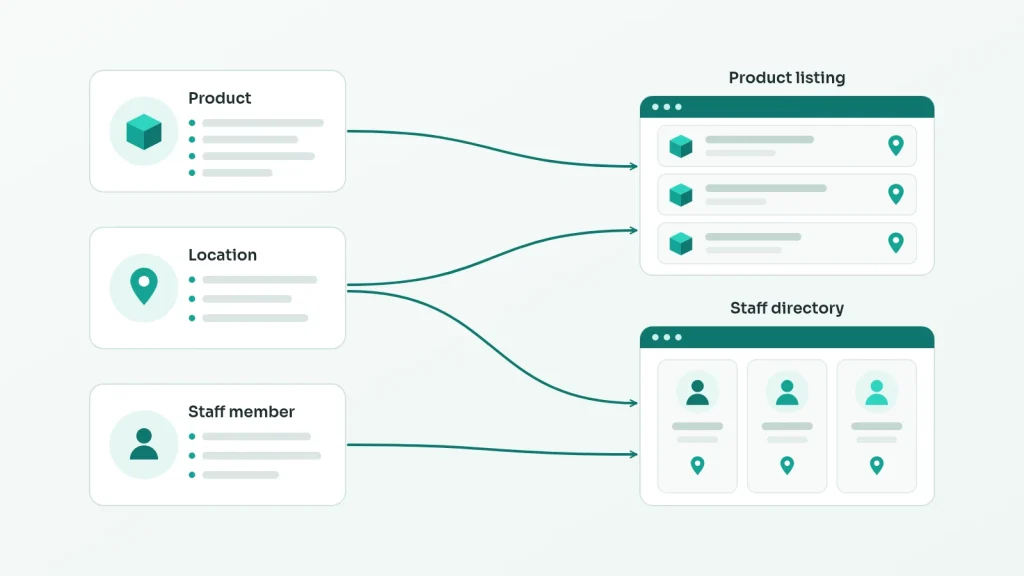
Drupal is the most flexible of the three and the most demanding. Instead of starting from pages and posts, Drupal starts from content types and fields. You might define “Product”, “Location” and “Staff member”, each with its own fields, and then build listings and pages that pull them together.
That model shines when a site has a lot of structured information: a university department, a directory, a large catalogue, a site with many editors and an approval workflow. Drupal also has a strong record on security process and fine-grained permissions, which is part of why larger organizations pick it.
The cost is skill and time. Modern Drupal is built with Composer, the PHP package manager, and expects a developer who is comfortable at the command line. A small business that wants to change its opening hours on a Friday afternoon may find Drupal heavier than it needs. If you have, or will hire, a developer who knows Drupal, it can serve you for many years. If you don’t, it is usually the wrong choice. See drupal.org for more.
Updates and long-term upkeep
Whichever you choose, the software has to be kept current. All three publish security releases, and the sites that get broken into are very often the ones running old versions of the core or an extension.
The day-to-day update work differs:
- WordPress makes minor core updates easy, and plugin and theme updates are a click each in the dashboard. The work is in checking that dozens of plugins still play nicely together.
- Joomla updates from its admin area too, with fewer moving parts if you lean on the built-in features.
- Drupal updates are usually done with Composer, by a developer, and major versions have historically needed more planning.
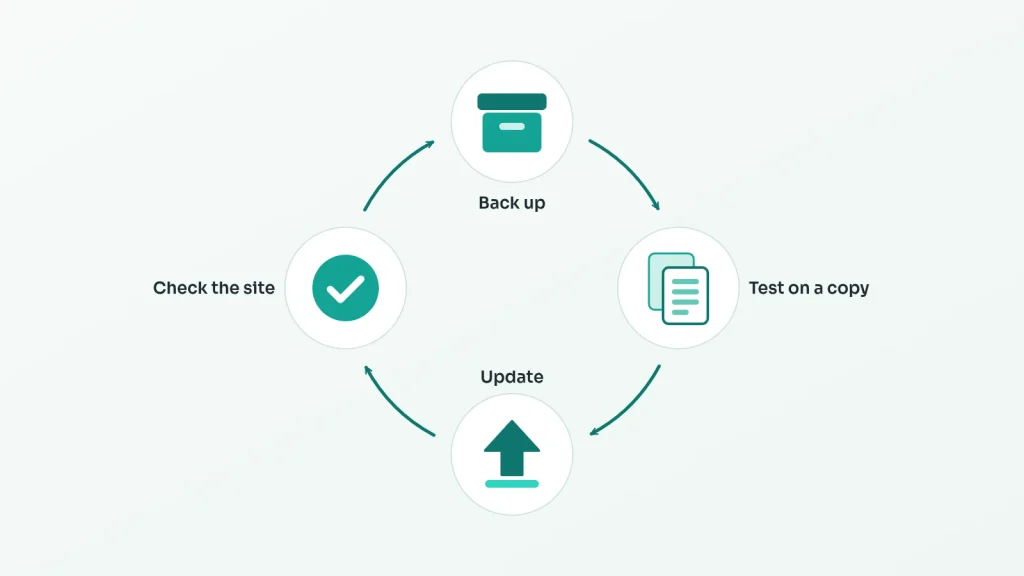
Also think about the PHP version. Newer PHP is faster and still gets security fixes, and you want a CMS version and extensions that support it. Before switching PHP versions on a live site, try it on a copy first.
Who will build and run the site
This is often the deciding question, and it is about people more than software.
If the owner or an office manager will make most of the edits, WordPress is the gentlest learning curve. If an agency builds the site and hands it over, use whatever that agency knows best, as long as you can find someone else who knows it too if the relationship ends. If a developer will be involved for the long run and the content is complex, Drupal earns its keep. Joomla suits someone who wants more built-in power than WordPress without a developer on call for every change.
It is also worth asking how easy it will be to leave. Moving content between these systems is possible but rarely quick, so expect to live with your choice for a few years.
WordPress vs Joomla vs Drupal: a simple way to choose
If you want a short version:
- Choose WordPress for a typical small business site, a blog or a small shop, especially if non-technical people will edit it.
- Choose Joomla for a multilingual or membership-style site where you want more built in and fewer plugins.
- Choose Drupal for large, structured sites with many editors, and only if you have Drupal development skills on hand.
Whichever you lean toward, install it and click around before you commit. An hour in the admin area tells you more than any comparison.

How Ateculus handles all three
When you create a website, you choose WordPress, Joomla or Drupal and we install it with its own MariaDB database and the admin login you pick, ready to sign in. You can add PostgreSQL databases from the control panel too, and you can also choose Laravel or a blank PHP site. Each website runs PHP 8.4 or 8.3, changeable any time.
The website console in the control panel has WP-CLI, Composer, Git and PHP, which covers WordPress housekeeping and Composer-based Drupal work. Staging, for trying updates on a private copy first, is on the Grow, Scale and Pro plans.
We look after the servers and PHP. You or your developer update the CMS, its extensions and its theme. Our free migration plugin is for WordPress; to move a Joomla or Drupal site, contact us, and if a hands-on move has a cost we will tell you first. Plans and allowances are on the pricing page.